Every call, remembered.
AI call recorder · transcripts, notes & search
CallCapture records your calls and voice memos, then turns them into transcripts, AI summaries, and a searchable memory of everything you’ve discussed.
01 — What you get
A recorder gives you audio.
CallCapture gives you the meaning.
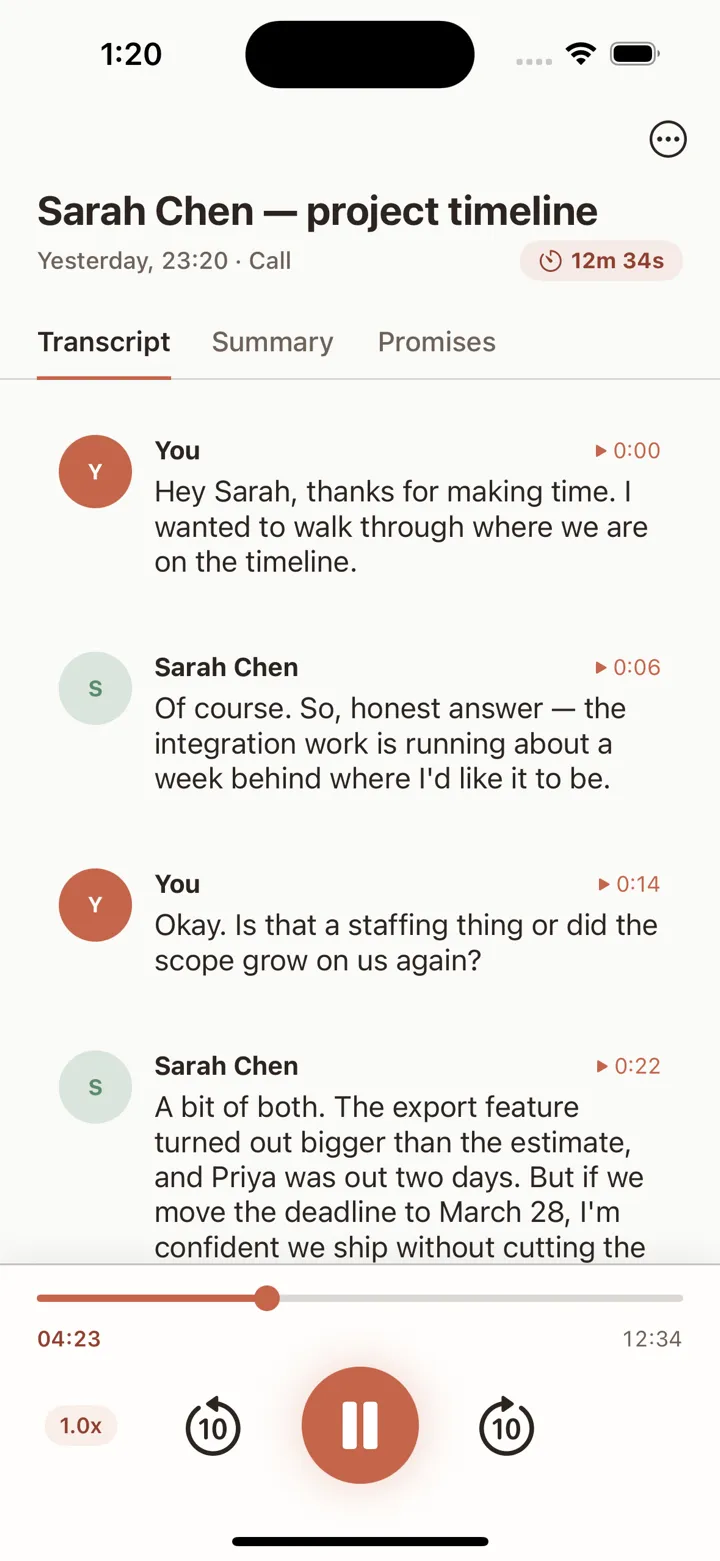
- Automatic transcripts
- Every recording is transcribed with speaker labels and synced to the audio — tap any line to jump straight to that moment.
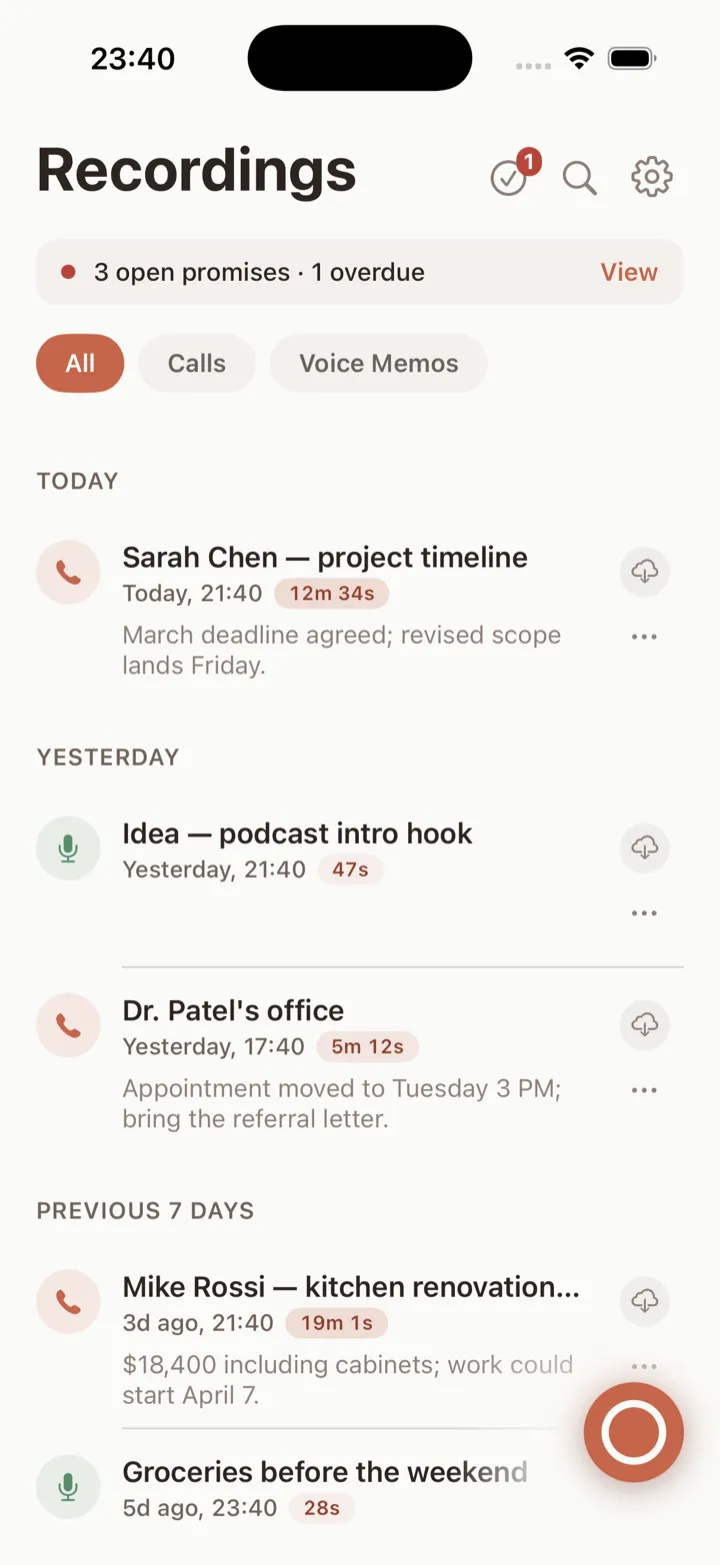
- AI summaries & key points
- The gist and the key points — pulled out of every call and voice memo so you don’t have to replay it.
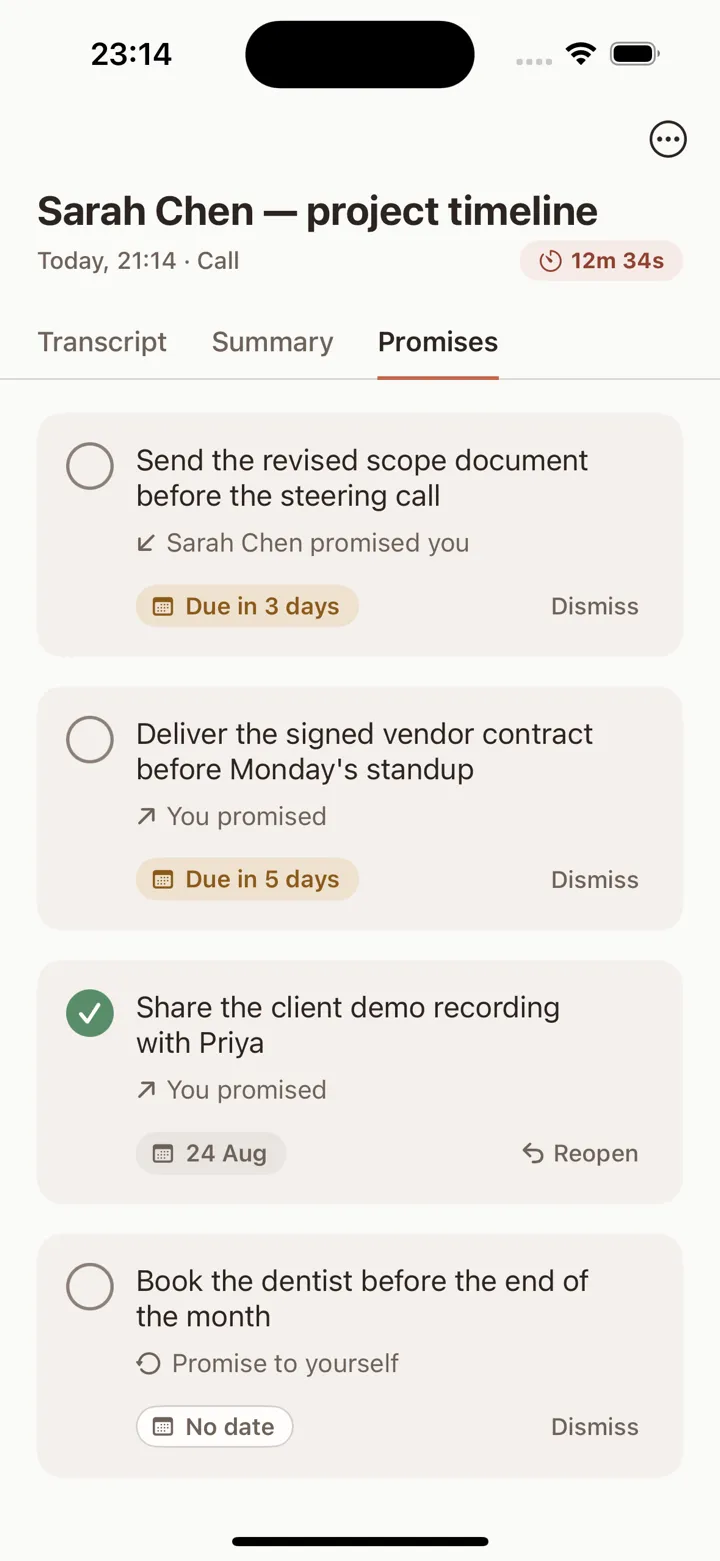
- Promises
- What was promised, by whom, by when — all tracked, so nothing quietly slips through the cracks.
02 — How it works
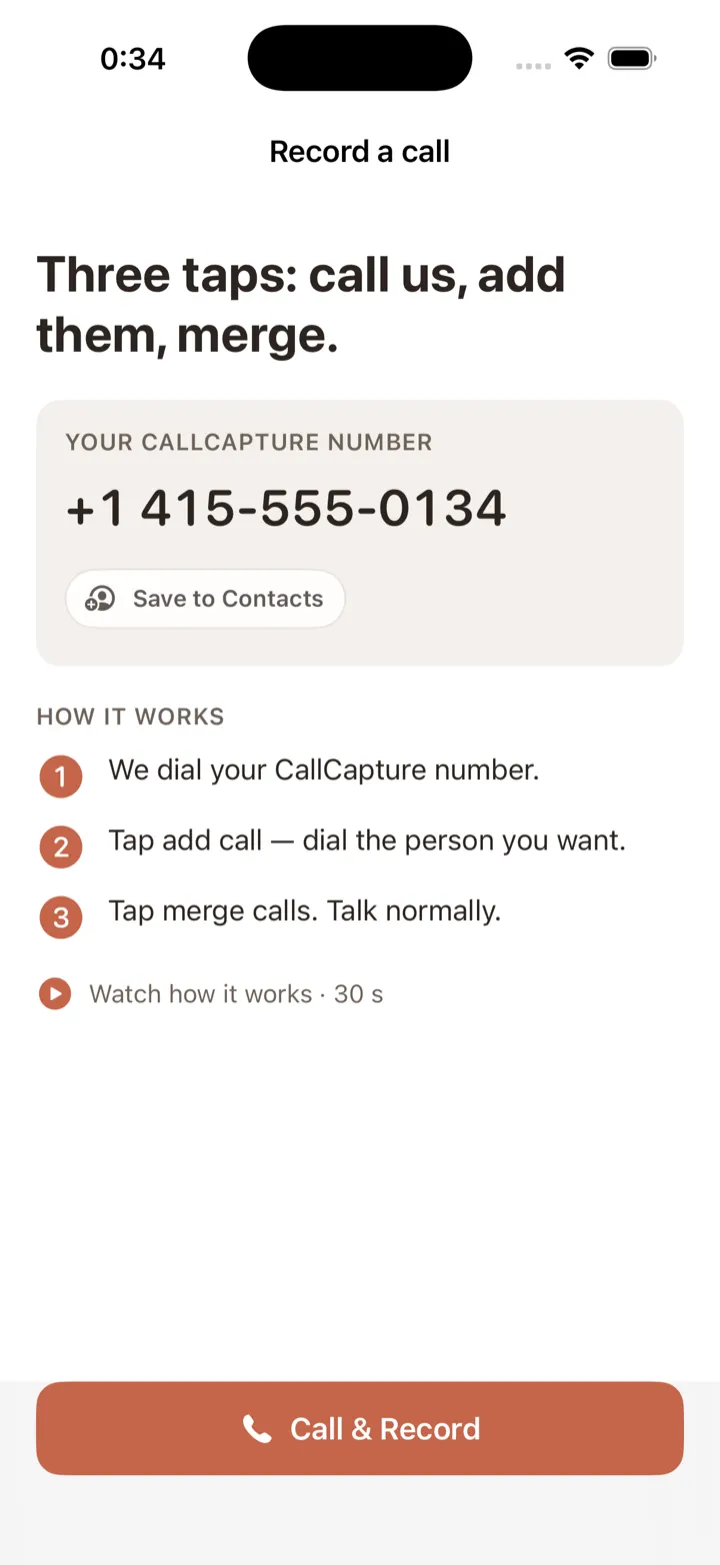
Three taps: call us, add them, merge.
-
Call us
Tap the record button — the app dials your CallCapture number.
-
Add them
Tap add call and dial the person you want.
-
Merge
Tap merge calls and talk normally. Recording happens on our secure service, not on your phone.
03 — Ask anything
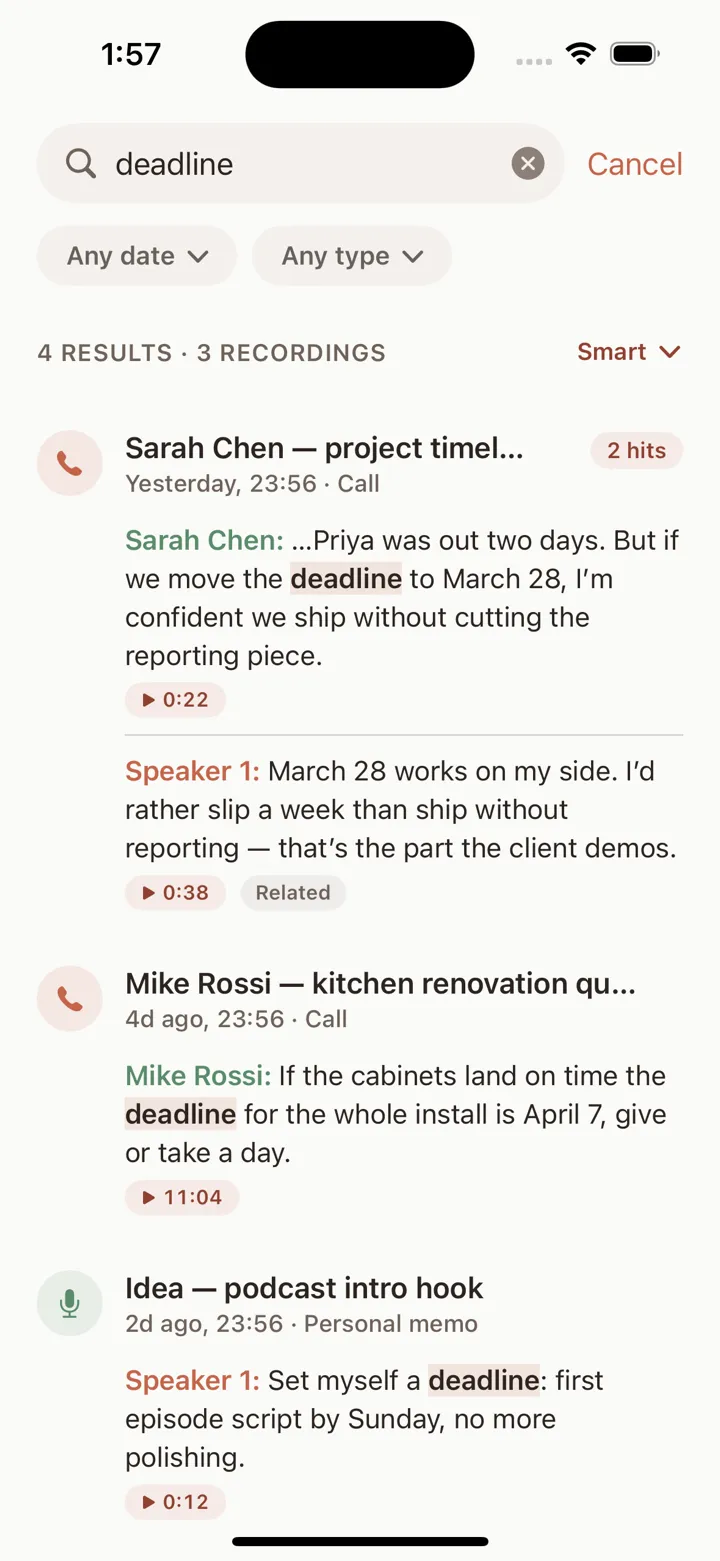
Search your calls by meaning, not just words.
Semantic search runs across every call and voice memo you’ve captured. Ask the way you’d ask a colleague — CallCapture finds the moment, even when you don’t remember the exact words.
04 — Questions
The things people ask first.
How does call recording work?
You get a personal CallCapture number. During any regular carrier call, you merge that number in as a three-way call. The recording happens on our secure service — not on your phone — and the audio, transcript, and summary appear in the app right after you hang up. You can also record voice memos directly in the app and they get the same treatment.
Is recording calls legal?
It depends on where you and the other party are. Federal law and many U.S. states allow recording with one party’s consent; other states require every party to consent. Where the law requires it, tell the people on the call that you’re recording, and let them agree, before you start. You’re responsible for following the laws that apply to you. See our plain-language guide at /recording-laws (it isn’t legal advice).
Read the recording-laws guide →What happens to my recordings?
Your recordings are stored securely and belong to you. To power transcripts, summaries, and search, audio is transcribed by Deepgram, enriched by Anthropic’s Claude, and indexed for search using OpenAI embeddings. We don’t sell your data and we don’t use it to train AI models. You can delete any recording — or your entire account — at any time, permanently.
Read the Privacy Policy →What does it cost?
CallCapture requires a subscription, billed through your Apple Account. Current prices and any introductory offer are shown in the app before you subscribe, and each plan includes an allowance of transcription minutes. You can manage or cancel anytime in Settings — details are on the support page.
Subscription & billing help →